Download the
wg8 App
Play Anywhere
The wg8 app brings cricket betting, live casino, slots and fast bKash deposits to your Android phone. Free to download, no Google Play needed — just install the APK and start playing in minutes.
Scan to download wg8 APK on your phone
What the wg8 App Gives You
Six reasons Bangladesh players prefer the wg8 app over a browser tab — from faster load times to push notifications on live cricket odds.
Faster Than Any Browser
The app caches game assets locally, so pages load in under a second even on 4G. No more waiting on slow network tabs while the over is ticking. Cricket match markets refresh in real time without manual page reloads.
Live Match Push Alerts
Enable notifications and get instant alerts when Bangladesh, IPL or T20 World Cup matches go live. Odds change notifications land on your lock screen — tap once to open the market and place your bet before it moves.
Built for Small Screens
Every button, table and input is sized for one-handed use on budget Android phones. The deposit flow — bKash, Nagad or Rocket — fits on a 5-inch screen without zooming or horizontal scrolling. Minimum deposit stays ৳500.
Instant bKash & Nagad Deposits
Tap Deposit, choose bKash or Nagad, enter the amount and your funds appear in the wg8 wallet in about 1 minute. The app saves your preferred payment method so repeat deposits take seconds, not steps.
Full Game Library On Mobile
Access over 2,500 games — slots from Pragmatic Play and KA Gaming, live casino tables by Ezugi, Spribe crash games and Sexy Gaming fishing titles. The app loads the same game library as the desktop site, nothing is cut.
Biometric Login Support
After your first login, enable fingerprint or face unlock on supported Android devices. Log back in without typing your password. Your session stays active in the background so you return to exactly where you left off.
How to Install the wg8 APK on Android
The wg8 app is not on Google Play — you install it directly as an APK file. Follow these five steps to have it running in under three minutes.
Allow Unknown Sources
Go to Settings → Security (or Privacy on Android 10+). Toggle on Install Unknown Apps for your browser or file manager. This one-time change lets Android accept APK files from outside Google Play — you can turn it off again after installing.
Download wg8.apk
Tap the Download APK button on this page. Your browser saves wg8.apk (45 MB) to the Downloads folder. On a standard 4G connection this takes about 30 seconds. Do not close the browser mid-download or the file will be incomplete.
Open & Install the File
Pull down the notification bar and tap the completed download, or open your Files app and navigate to Downloads. Tap wg8.apk, then tap Install. Android may show a permissions review screen — tap Install again to confirm. The process takes about 20 seconds.
Open & Log In
Tap Open on the install confirmation screen, or find the wg8 icon on your home screen. Enter your registered username and password. First-time users: tap Register inside the app — it takes under two minutes with your mobile number and a bKash-linked account.
Deposit & Play
Tap Deposit in the app menu. Choose bKash, Nagad or Rocket, enter ৳500 minimum and confirm. Funds arrive in your wg8 wallet within about 1 minute. Head to Casino or Sports to start betting. Your first deposit activates the 100% welcome bonus up to ৳5,000.
iPhone / iOS – Add wg8 to Your Home Screen
Apple's App Store does not distribute casino apps in Bangladesh. Instead, open the wg8 website in Safari and pin it as a Progressive Web App — it works like a native app with a full-screen view and no browser bars.
Open Safari
Visit wg8.im in Safari (not Chrome — only Safari supports the "Add to Home Screen" feature on iPhone). Make sure you are on a stable Wi-Fi or mobile data connection before proceeding.
Tap the Share Icon
At the bottom of Safari, tap the Share button (the square with an upward arrow). A menu slides up from the bottom of the screen with a list of share and action options.
Add to Home Screen
Scroll down the share menu and tap Add to Home Screen. Give it the name "wg8" and tap Add in the top-right corner. The wg8 icon now appears on your iPhone home screen like any app.
Launch & Log In
Tap the wg8 home screen icon. It opens in full-screen mode without the Safari toolbar. Log in with your username and password. All features — deposits, betting, live casino — are fully accessible through this PWA view.
Download wg8 APK – Version Info
Always download from this page to get the official, up-to-date wg8 APK. Third-party sites may distribute outdated or modified files.
wg8 App – Latest Build
Official APK download — scanned clean, no adware, no modifications.
| Detail | Information |
|---|---|
| App Name | wg8 – Casino & Sports Betting |
| Current Version | 2.7.18 |
| File Name | wg8.apk |
| File Size | 45 MB |
| Minimum Android | Android 8.0 (Oreo) or higher |
| Last Updated | 3 November 2026 |
| Price | Free |
| Supported Languages | English, Bangla |
| Platform | Android (APK); iOS via Safari PWA |
| Distribution | Direct download – wg8.im/wg8-app/ |
The app updates automatically when you open it if a newer version is available. You do not need to re-download manually for minor patches.
wg8 App vs Website – Side by Side
The app and website share the same account and wallet. The key differences are speed, notifications and biometric login — all of which favour the app for regular players.
| Feature | wg8 App (APK) | Website (Browser) |
|---|---|---|
| Page Load Speed | Under 1 second after first launch | Depends on network speed and browser cache |
| Push Notifications | Live match & bonus alerts | Not available |
| Biometric Login | Fingerprint / face supported | Password only |
| Offline Game Assets | Pre-loaded icons & assets | Re-downloads each session |
| bKash / Nagad Deposit | One-tap saved method | Available, more steps |
| Full Casino Library | 2,500+ games | 2,500+ games |
| Cricket Betting | Live in-play with alerts | Live in-play only |
| Bonus & VIP Access | Full access | Full access |
| Screen Space | Full-screen, no browser bars | Browser toolbar takes space |
| Requires Install | APK install (45 MB, one time) | No install needed |
Games Inside the wg8 App
Every category in the wg8 casino is available on the app. Here are some popular picks — tiles are a quick way to jump into a game after you install.
 Slots
Honor of Juma
Pragmatic Play · RTP 95.5%
 Slots
Rave Party Fever
Ezugi · RTP 97.4%
Live Baccarat
Ezugi · Real Dealer Tables
Aviator Crash
Spribe · Multiplier Game
Beyond these tiles, the app hosts cricket and football sports betting, Fishing games from Sexy Gaming and Pragmatic Play, and Dragon Tiger live tables. Filter by category from the bottom navigation bar inside the app — there are dedicated tabs for Sports, Casino, Live, Fishing and Slots.
Explore Full Casino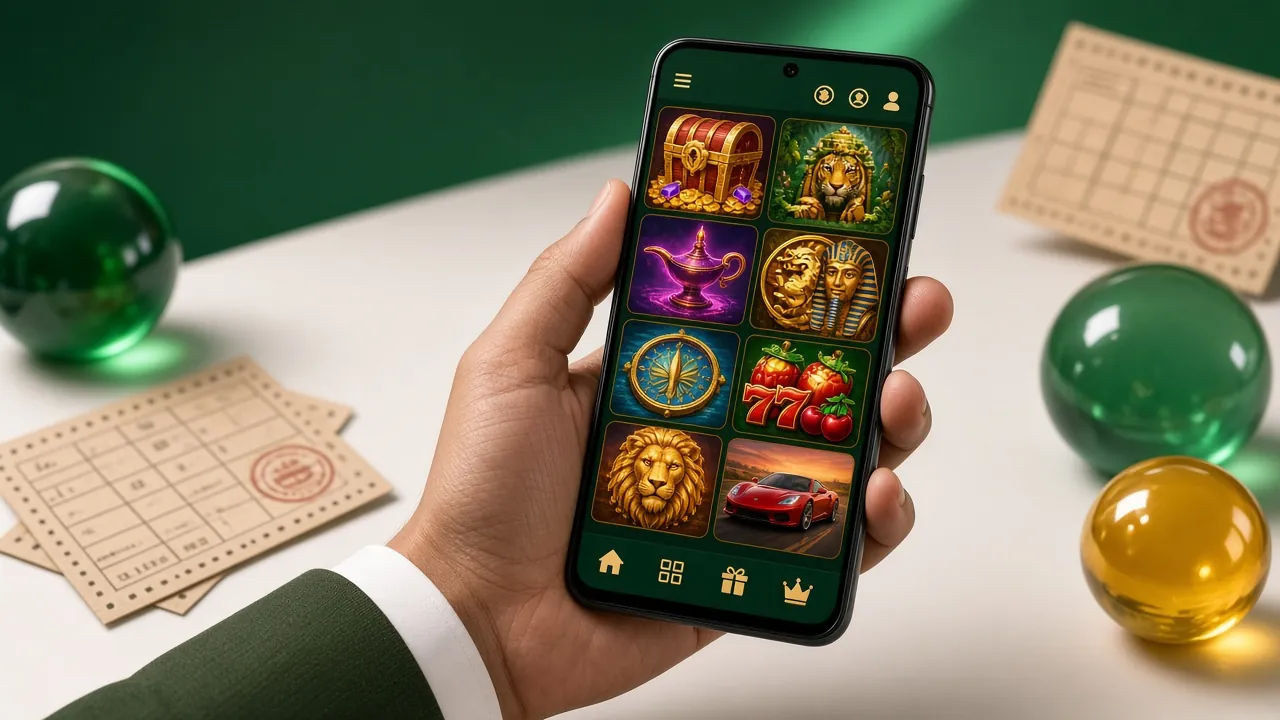
Security & App Permissions
The wg8 APK is built with player safety in mind. Here is exactly what the app accesses on your phone — and why.
TLS 1.3 Encrypted Connection
All data between the app and wg8 servers travels over TLS 1.3 encryption. Your login credentials, payment details and personal information are never sent in plain text. The certificate is renewed automatically — you do not need to do anything to stay protected.
Permissions the App Requests
The wg8 app requests only: Internet access (to load games and process payments), Storage read/write (to save the APK update cache) and Biometrics (optional, for fingerprint login). It does not access your contacts, camera, microphone or location at any point.
APK Integrity Check
Each APK file on this page is signed with the official wg8 developer certificate and scanned before publishing. If Android shows a warning that the signature does not match a previous install, delete the old version first, then re-install. Never sideload APKs shared via WhatsApp or Telegram — those may be tampered files.
Account Security in the App
Enable two-step verification (2FA) inside the app under Account → Security. Each login from a new device will require a one-time code sent to your registered mobile number. If you lose your phone, contact [email protected] to freeze your account immediately.
Common Install Problems & Fixes
If the wg8 APK does not install cleanly, one of these five situations usually explains it. Work through the fix column before contacting support.
| Problem | Likely Cause | Fix |
|---|---|---|
| "Install Blocked" message | Unknown sources setting is off for your browser or file manager. Android 8+ requires you to enable it per-app, not globally. | Go to Settings → Apps → find your browser → tap "Install Unknown Apps" → toggle on. Then re-tap the APK file to install. |
| "App Not Installed" error | An older version of the wg8 app is already on the device and the signatures conflict, or the download was incomplete and the file is corrupted. | Uninstall the existing wg8 app first (Settings → Apps → wg8 → Uninstall). Delete the old APK from Downloads, re-download fresh from this page, then install again. |
| Download stops mid-way | Unstable mobile data connection or the browser paused the download due to a background data restriction set by your carrier or battery saver mode. | Switch to Wi-Fi if possible. Turn off Battery Saver temporarily. Open your browser's download manager, delete the partial file, and start the download fresh from this page. |
| App opens but shows blank screen | Your Android version is below 8.0 (Oreo), which is the minimum requirement, or your phone's WebView component is outdated. | Check Settings → About Phone → Android Version. If below 8.0, use the wg8 website in Chrome instead. If version is 8.0+, open Play Store, search "Android System WebView" and update it, then restart the wg8 app. |
| Cannot log in after install | You do not have a registered wg8 account yet, or you are entering the wrong password. The app login uses your wg8 username, not your phone number or email alone. | Tap "Register" on the app's login screen to create a new account in under two minutes. If you have an account and forgot your password, tap "Forgot Password" — a reset link goes to your registered mobile number. |
Still stuck? The wg8 support team is available 24/7 via live chat inside the app or by email at [email protected].
wg8 App – Frequently Asked Questions
Get the wg8 App on Your Phone
-
Loads in under a second
App assets are cached locally — even on 4G, pages open instantly. No browser lag while the cricket over is ticking.
-
Live cricket push alerts
Tap-to-bet notifications for Bangladesh, IPL and T20 World Cup markets land on your lock screen the moment odds move.
-
One-handed bKash deposits
Tap Deposit → bKash or Nagad → enter amount. Funds appear in your wg8 wallet in about 1 minute. Minimum ৳500.
-
Clean & virus-free APK
No third-party wrappers. The APK is signed, scanned and updated regularly — install safely without Google Play.
Scan with your phone camera to download
Is the wg8 APK safe to install?
Yes. The APK on this page is the official build, signed with the wg8 developer certificate and virus-scanned before publishing. The app only requests internet, storage and optional biometric permissions — it does not access your contacts, camera or location. To stay safe, only download from wg8.im/wg8-app/ and never from third-party links shared on social media or messaging apps.
Why is the wg8 app not on Google Play?
Google Play's global policy restricts real-money gambling apps in most markets, including Bangladesh. This is a Google policy decision, not a wg8 limitation. The official APK available here is identical in functionality to any Play Store app — it is just distributed directly. Millions of players worldwide install casino apps this way safely every day.
How do I update the wg8 app to the latest version?
When a new version is available, the app shows an "Update Available" banner when you open it. Tap the banner and it downloads and installs the update automatically — you do not need to come back to this page for minor patches. For major version updates (like going from 2.x to 3.x), we will post a notice here and you download the new APK manually.
Does the app work on all Android phones sold in Bangladesh?
The wg8 app runs on any Android phone running Android 8.0 (Oreo) or higher. Most smartphones sold in Bangladesh since 2018 — including Symphony, Samsung Galaxy A-series, Xiaomi Redmi and Realme budget models — meet this requirement. Phones running Android 7 or older should use the wg8 website in Chrome instead of the APK.
Can I use bKash and Nagad to deposit inside the app?
Yes. Tap Deposit in the app menu, select bKash or Nagad (or Rocket, Upay and Bank Transfer), enter the amount — minimum ৳500 — and follow the on-screen prompts. Deposits arrive in your wg8 wallet within about 1 minute. The app remembers your last-used payment method so repeat deposits are faster. Withdrawals from ৳1,000 process within about 5 minutes.
Will installing the APK void my phone's warranty?
Installing an APK from outside Google Play does not void your phone's hardware warranty. It is a standard Android feature designed by Google for exactly this use. The only consideration is that some manufacturers turn off the "Install Unknown Apps" toggle by default as a safety measure — you re-enable it in Settings. You can toggle it back off after the wg8 app is installed.
Does the wg8 app work on iPhone?
There is no iOS App Store version. iPhone users should open wg8.im in Safari and use the "Add to Home Screen" feature to install the site as a Progressive Web App (PWA). This gives a full-screen experience very close to a native app. The PWA supports all deposits, games, live casino and account features. See the iOS steps section above for the full four-step process.
Need Help Installing?
The wg8 support team is available 24/7. Reach us through live chat inside the app, or send an email and we will reply within the hour.
[email protected] Register & Get Bonus18+ · Play Responsibly. Gambling involves financial risk.
Next Steps After Installing
Got the app installed? These pages will help you set up your account, make your first deposit and start betting.